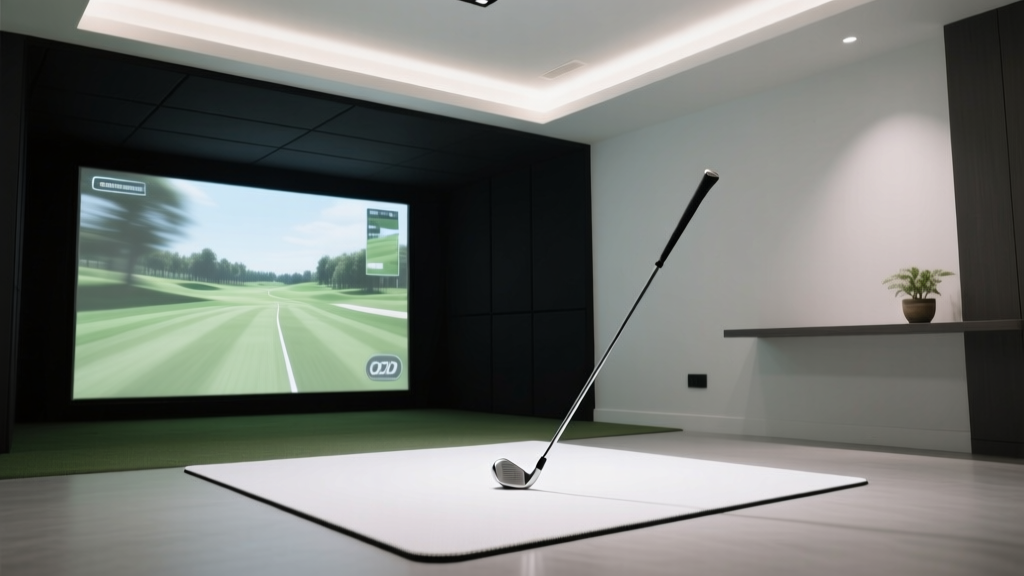
How Much Room Do You Need for a Golf Simulator?
To set up a high-quality golf simulator, you typically need a minimum space of 8 feet in width, 10 feet in height, and 12 feet in depth. However, for optimal performance, especially with advanced launch monitors like TrackMan or Foresight Sports, a recommended room size is 10' x 12' x 10' (W x D x H) or larger to ensure accurate tracking, full swing freedom, and safety.
Why Room Size Matters for Golf Simulators
The physical dimensions of your space directly impact shot accuracy, equipment functionality, and user comfort. Too small a room can lead to sensor errors, damaged equipment, or restricted swings. Understanding the ideal dimensions ensures you get the most realistic indoor golf experience.
Key Dimensions Explained
- Width: Must accommodate shoulder rotation and club path without hitting walls.
- Depth: Critical for ball flight tracking; too short and the launch monitor can't capture early ball data. \li>Height: Essential for full backswing clearance, especially for taller players or drivers.
Minimum vs. Recommended Space Requirements
Different simulators have varying spatial needs based on technology and brand. Here's a breakdown of top systems and their requirements:
| Launch Monitor | Min Width (ft) | Min Depth (ft) | Min Height (ft) | Swing Clearance Type |
|---|---|---|---|---|
| TrackMan 4 | 10 | 12 | 10 | Full swing |
| Foresight Sports GC3 | 9 | 11 | 9.5 | Full swing |
| OptiShot 2 | 8 | 10 | 8.5 | Compact swing |
| Uneekor QED | 9 | 10.5 | 9 | Full swing |
| TruGolf Vista | 8.5 | 10 | 8.5 | Compact to mid swing |
The data shows that premium radar-based systems like TrackMan require more vertical and depth clearance due to their dual-radar setup and ball-flight modeling. Camera-based systems such as Foresight GC3 also demand precise depth for optimal photometric analysis. Budget-friendly options like OptiShot 2 are designed for tighter spaces but may limit swing mechanics.
Factors Influencing Required Space
Player Height and Swing Style
Taller players (over 6'2") often need ceilings of at least 10.5 feet. Aggressive swingers generate wider arc paths, requiring additional side clearance. Always add 6–12 inches beyond manufacturer specs for safety.
Left-Handed vs. Right-Handed Setup
Left-handed golfers may need adjusted net positioning or asymmetric room layouts. Ensure equal clearance on the dominant swing side to prevent wall contact.
Screen and Projector Placement
A screen should be centered and mounted at impact height. Projectors need rear or ceiling mounting with unobstructed line-of-sight. This often increases required depth by 1–2 feet beyond basic swing space.
Room Layout Tips for Optimal Performance
- Use foldable nets and retractable screens to save space when not in use.
- Install acoustic panels to reduce noise in shared rooms.
- Mark alignment lines on floor and ceiling for consistent setup.
- Ensure at least 6 inches between ceiling and club tip at peak backswing.
- Allow 3–4 feet behind the tee position for stance adjustment and access.
Frequently Asked Questions About Golf Simulator Room Size
Can I install a golf simulator in a 10x10 foot room?
Yes, but only with compact systems like OptiShot 2 or Uneekor EYE XO. These use optical sensors and don’t require extensive depth. However, taller players may still face headroom issues, so measure your maximum swing apex before committing.
How high should the ceiling be for a golf simulator?
A minimum of 8.5 feet is acceptable for shorter players using irons, but 10 feet or higher is recommended for full flexibility, especially with driver swings. Taller users should aim for 10.5+ feet to avoid ceiling strikes.
Do I need extra space behind the hitting mat?
Yes, 3–4 feet behind the tee area allows for proper stance setup, weight transfer, and easy entry/exit. Some systems also require rear sensor placement or projector distance, increasing total depth needs.
Are there golf simulators for small apartments?
Absolutely. Systems like SwingBay, HomeCourse, or Rain or Shine Golf offer modular designs tailored for urban spaces. They integrate folding frames, compact sensors, and app-based software to deliver realism in minimal footprints.
Does lighting affect simulator space requirements?
Indirectly, yes. Poor lighting can interfere with camera-based systems, requiring repositioning or additional fixtures, which might influence layout. Ensure even ambient light without glare on screens or interference with infrared sensors.
More Articles
 GOAT of Tennis: Djokovic vs Nadal vs Federer
 Will Tiger Woods Retire from Golf? Latest Update 2025
 What Time Does Ole Miss Play Baseball Today?
 How Many Super Bowl Rings Does Tom Brady Have?
 How Many Calories Does Bowling Burn? (Real Data)
 How Many Super Bowl MVPs Does Tom Brady Have?
 Which Country Is Golfer Justin Rose From?
 Most Super Bowl Wins: Top NFL Teams Ranked
 How Much Do MMA Fighters Make? Earnings Revealed
 Michael Jordan's Baseball Number Was 45