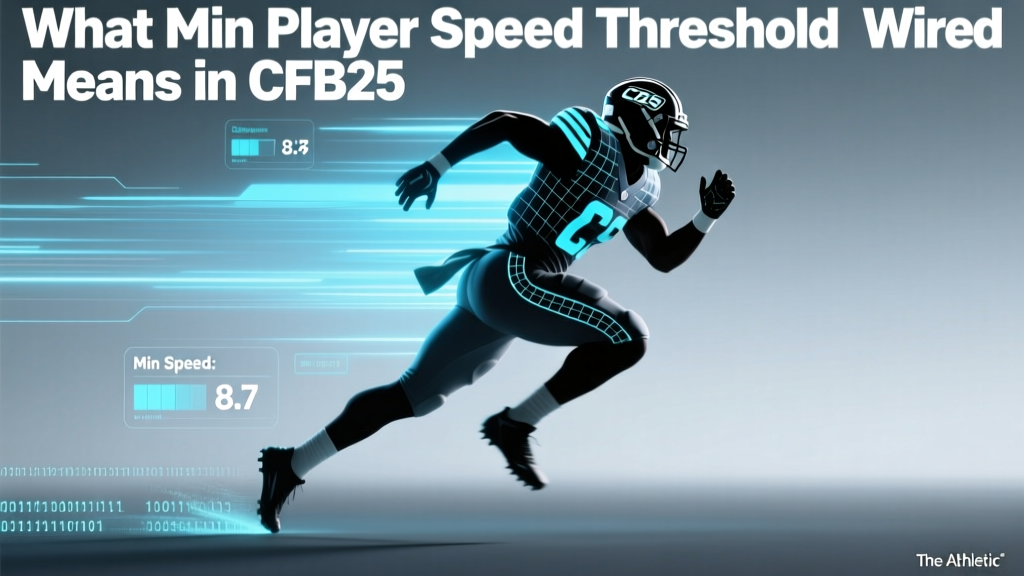
What Min Player Speed Threshold Means in CFB25
In College Football 25, the Min Player Speed Threshold is a gameplay setting that determines the slowest speed a player can have before being filtered out in Team Builder, Player Search, or Dynasty Mode recruiting. It allows users to set a minimum 40-yard dash time (e.g., 4.5 seconds) to quickly identify elite athletes at positions where speed is critical, such as wide receivers and defensive backs.
What Is Min Player Speed Threshold in College Football 25?
The Min Player Speed Threshold is a customizable filter in EA Sports' College Football 25 that helps players sort athletes based on their speed ratings. This feature is especially useful in modes like Team Builder, Dynasty, and Franchise, where identifying high-performing recruits or free agents is key to building a competitive roster.
By adjusting this threshold, users can automatically exclude players who fall below a specified speed value, typically measured by the 40-yard dash time or overall speed attribute (SPD) rating.
Key Uses of the Speed Threshold Filter
- Recruiting elite wide receivers and cornerbacks in Dynasty Mode
- Building a fast-paced offensive scheme requiring speed-focused personnel
- Filtering defenders with closing speed for pass coverage roles
- Creating custom teams in Team Builder with position-specific athletic standards
- Identifying breakout candidates during scouting based on raw athleticism
How to Use Min Player Speed Threshold Effectively
To get the most out of the Min Player Speed Threshold, it's important to understand how speed impacts different positions and how the game measures it.
Understanding Speed Metrics in College Football 25
The game uses a combination of 40-yard dash times and overall SPD ratings (on a 0–100 scale) to represent a player’s acceleration and top-end speed. These values are derived from real-world combine data, recruiting profiles, and team input.
For example:
- A WR with a 4.35s 40-time may have an SPD rating of 92
- A linebacker with a 4.65s 40-time might have an SPD of 78
- Setting a Min Player Speed Threshold of 85 filters out all players below that SPD
Step-by-Step: Applying the Filter
- Navigate to Team Builder or Dynasty Recruiting Board
- Select Player Filters or Advanced Search
- Adjust the Min Player Speed Threshold slider or input a specific 40-time/SPD value
- Apply additional filters (position, height, awareness, etc.)
- Review the filtered list of eligible players
Position-Specific Speed Expectations
Not all positions require elite speed. Using the Min Player Speed Threshold effectively means tailoring it to positional needs.
| Position | Avg 40-Yard Dash Time | Avg SPD Rating | Recommended Min Threshold (SPD) |
|---|---|---|---|
| Wide Receiver | 4.45 s | 88 | 85 |
| Cornerback | 4.42 s | 89 | 86 |
| Running Back | 4.52 s | 84 | 80 |
| Safety | 4.50 s | 83 | 80 |
| Linebacker | 4.68 s | 76 | 72 |
| Offensive Tackle | 5.15 s | 68 | 65 |
The data shows clear distinctions in speed expectations across positions. Elite skill positions like WR and CB consistently exceed SPD 85, while linemen and linebackers prioritize power over speed. Setting a minimum threshold too high may eliminate viable players at less speed-dependent roles.
Using position-appropriate thresholds ensures balanced team construction without sacrificing scheme fit.
Tips for Optimizing Your Recruiting Strategy
Maximize your Dynasty success by integrating the Min Player Speed Threshold into a broader evaluation framework.
- Combine with other filters: Pair speed with Awareness (AWARE), Acceleration (ACC), and Position-Specific Skills (e.g., Catch Radius for WRs)
- Adjust annually: Recruit classes evolve; update thresholds based on incoming talent trends
- Balance athleticism with IQ: A fast player with low AWARE may underperform in complex schemes
- Use in conjunction with Scheme Fit: Some offensive systems (e.g., RPO-heavy) favor quick-twitch athletes over pure straight-line speed
- Monitor injury correlation: Higher-speed players may have slightly elevated injury risk in some simulations
Frequently Asked Questions About Min Player Speed Threshold
What does Min Player Speed Threshold mean in College Football 25?
The Min Player Speed Threshold is a filter that lets you set the lowest acceptable speed (via 40-time or SPD rating) for players appearing in search results. It's used in Team Builder, Dynasty recruiting, and player searches to isolate athletes meeting your speed criteria.
How do I change the speed threshold in Dynasty Mode?
In Dynasty Mode, go to the Recruiting Board, open Advanced Filters, and adjust the Min Player Speed Threshold using the slider or manual input. You can filter by SPD rating (e.g., 85+) or approximate 40-yard dash time (e.g., 4.5 seconds or faster).
What is a good Min Player Speed Threshold for wide receivers?
A recommended Min Player Speed Threshold for wide receivers is SPD 85 or higher. Top-tier FBS-level outside receivers typically range from 88–94 SPD, so setting the bar at 85 ensures you’re targeting above-average athletes with deep-threat capability.
Does Min Player Speed Threshold affect gameplay or just scouting?
The Min Player Speed Threshold only affects player filtering in menus and recruiting tools—it does not alter in-game performance or player behavior. It’s a scouting and roster-building aid, not a gameplay modifier.
Can I set different speed thresholds for different positions?
You must manually adjust the Min Player Speed Threshold when switching between positions, as the game does not support saved per-position presets. However, using position-specific benchmarks (e.g., 86 for CB, 80 for RB) helps maintain consistency across your recruiting strategy.
More Articles
 Who Won the 2006 FIFA World Cup? Italy Triumphs
 What Do You Call a Football Player? Term Explained
 Who Made Football? History & Origins Explained
 What Channel Is Green Bay Packers Football On?
 Don Bosco Football Schedule 2025: Full Game Dates & Times
 Is Football in the Olympics? Yes, Here's How It Works
 How Many Teams Are in the CFL? 2025 Breakdown
 How Many Yards Is a Football Field? Full Breakdown
 What Channel Is the Football Game On Tonight?
 What Teams Are in the NFL? Full 2025 List